
Washington Post Select
The Washington PostNews & Magazines
4.617.33K Reviews
- Version
- 1.31.3
- Installs
- 1.00M
- Age Rating
- Everyone 10+
Screenshots



Our Review of Washington Post Select
 Analysis by Appyee
I came to Washington Post Select looking for a manageable way to follow the news, not another feed that turns every spare moment into a scroll. My overall impression is that it works best as a focused reading companion: the appeal is the reporting and the chance to spend time with a story, rather than a promise to show every headline from everywhere. That makes it a good fit for readers who want context, though it may not satisfy someone who only wants a fast, broad scan of breaking updates.
First Impressions
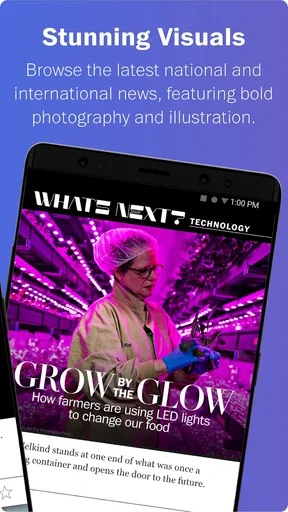
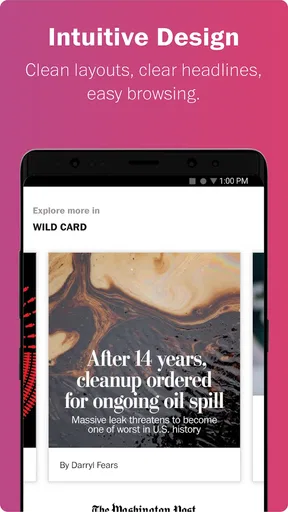
Downloading Washington Post Select was a breeze. The app is a free news and magazines app from The Washington Post, and I found its layout straightforward to approach. The presentation feels clean, with the emphasis on reading rather than on a crowded collection of controls. Its average rating is 4.6 from around 70,000 ratings, and it has passed a million installs, so it has clearly found an audience among people who want news on their phones.
As soon as I opened it, I was greeted by a simple interface. Moving between areas such as politics, opinions, and lifestyle felt intuitive, and I could get to reading without first working through a complicated setup. For someone checking the headlines in a short break, that low-friction start matters. The app is rated Everyone 10+, which is worth keeping in mind when deciding whether it suits younger readers in your household.
Reporting That Rewards More Than a Quick Glance
The strongest reason to use this app is the journalism. Stories tend to offer more substance than a headline and a couple of lines, and I appreciated being able to stay with a topic long enough to understand why it mattered. The coverage spans different interests, while reporting and commentary serve different purposes: a reported article helps explain events, and an opinion piece gives you an argument to assess rather than a substitute for straight reporting.
That distinction is useful in everyday reading. If I have only a minute, a prominent story can point me toward what deserves attention. If I have more time, a deeper article gives me room to follow the details and competing considerations. I would not treat a short visit as a complete picture of the day, but I do think the app is more rewarding when I open it with one or two topics in mind instead of trying to consume everything.
The publisher’s identity is also part of the experience. The Washington Post brings a particular editorial voice and reporting tradition, which can be a strength if that is what you want in a news source. It also means this is not a neutral aggregator designed to represent every publication equally. I would pair it with other outlets if I needed a deliberately broad range of editorial perspectives, rather than expecting one publisher’s app to cover every angle.
A Reading Routine That Works in Real Life
I find the app most useful when I give it a place in a routine. For example, I might check a few leading stories over breakfast, open a longer piece during a lunch break, then save something I want to finish on the train. That approach turns the app into a deliberate reading queue instead of another source of constant interruption. If your day is busy, choosing a specific time to check it can help you stay informed without letting notifications dictate when you look at your phone.
The option to save articles for later is especially practical for that kind of routine. I would use it as a small reading list: save a story while connected, then open it when I have a quiet stretch or expect unreliable internet. It is a simple habit, but it avoids the familiar problem of spotting an interesting article and then losing it among newer headlines. I would still check that an article is available before relying on it for a particular offline moment.
Personalization can make the feed feel more relevant, but I see it as a guide rather than a reason to narrow my reading completely. A useful approach is to follow subjects that genuinely matter to you while occasionally exploring beyond them. That helps keep a politics-heavy or sports-focused reading habit from becoming the only lens through which you encounter the news. The app’s recommendations can save time, but my own curiosity should still decide what gets attention.
Where the Experience Has Trade-Offs
The app’s focused presentation is a strength, but it also defines its limits. Readers who want a single dashboard combining headlines from many publishers may be happier with an aggregator. Those services are often better for comparing how different outlets cover the same event at a glance. Here, the experience is more closely tied to one newsroom, so the benefit is a consistent source and the trade-off is less variety within the app itself.
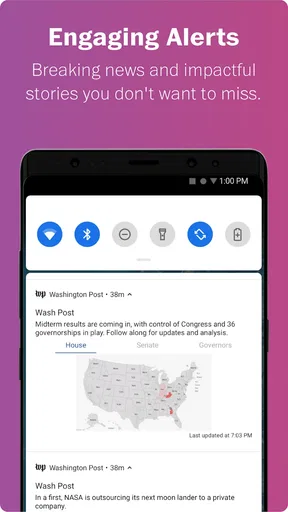
There is also a difference between being informed and being constantly alerted. Breaking-news notifications can be useful when a developing story matters to you, but they can interrupt concentration if every update feels urgent. I recommend being selective about what you allow through and using notifications for genuinely useful prompts, rather than treating them as a substitute for a regular check-in. A person who prefers a quiet phone can still use the app as an intentional reading destination.
Access and spending deserve a quick look before settling into a routine. The app is free to download, while it offers in-app purchases ranging from $0.99 to $15.00 per item. I would check what an individual purchase covers and whether it matches how often I read before paying. If you only open a news app occasionally, a paid option may not feel worthwhile; if you regularly read longer pieces, the value depends on the access terms and your own habits.
On the technical side, I experienced generally smooth navigation, but occasional article-loading trouble can disrupt a reading session. When that happens, I would first retry on a steadier connection and save important reading for a moment when I am not depending on a quick load. The current version is 1.31.3, and the app supports Android 4.2 and later. Those details help with compatibility, although keeping the app and device software current is sensible when troubleshooting problems.
Who I’d Recommend It To
I’d recommend it to readers who value reported detail, prefer reading full stories on a phone, and want a familiar place to check the day’s news. It can also suit someone trying to replace scattered headline checking with a more focused habit: pick a few subjects, read one substantial piece, and leave the rest for later. The combination of a clear interface and a strong emphasis on journalism makes that approach feel natural.
I would hesitate to recommend it as the only news source for someone who wants instant coverage from many publishers, a highly customizable wire of headlines, or a strictly non-opinionated selection. It may also be a poor match for readers who dislike notifications, rarely read beyond headlines, or do not want to consider in-app purchases. A general news aggregator is better for breadth and side-by-side outlet comparisons; a direct publisher app makes more sense when you actively want that publisher’s reporting.
Content Quality
Now, let's get to the meat of the app – the content. We’re talking about top-notch journalism here. The articles are well-researched, comprehensive, and cover a wide range of topics. Whether you're interested in the latest political developments, in-depth analysis, or just some good lifestyle tips, this app has got you covered. I particularly appreciated how the app highlights the most important stories of the day, which is perfect for those mornings when you just want a quick rundown before you start your day.
One thing that stands out to me is the depth of the reporting. The journalists dig deep to bring out the nuances of each story, which is something I value immensely, especially in today's world where superficial news is rampant. There are also opinion pieces that provide varied perspectives on current events, encouraging readers to think critically.
Personalization and Features
Here's where Washington Post Select really shines. The app allows for some degree of personalization, which means you can tailor the news feed to match your interests. Want more sports updates? You got it! Prefer to focus on international news? No problem. The app learns your preferences over time, making it smarter and more relevant to your needs.
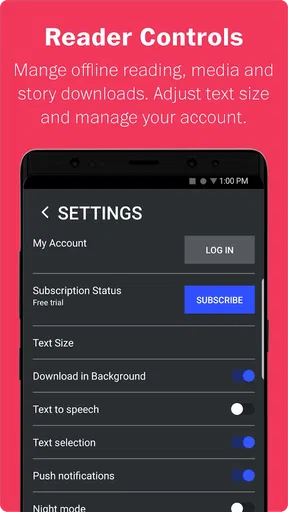
Another feature worth mentioning is the offline reading option. You can save articles to read later, even without an internet connection. This is a lifesaver for those moments when you're stuck without Wi-Fi, like during a long commute. Plus, the app sends out notifications for breaking news, ensuring you’re always in the loop, no matter where you are.
User Experience
The app’s performance is smooth, with quick load times and no annoying lags. It’s evident that a lot of thought went into the user experience, from the typography that’s easy on the eyes to the subtle animations that make navigation feel fluid. I also appreciate the dark mode option, which is perfect for reading in low-light conditions.
However, no app is without its quirks. Occasionally, I encountered some minor bugs, like articles not loading properly, but these were few and far between. The support team's responsiveness in addressing issues is commendable, which shows their commitment to providing a seamless user experience.
Wrapping It Up
In conclusion, Washington Post Select is a fantastic app for anyone who values quality journalism and wants to stay informed without getting overwhelmed. Its thoughtfully curated content, combined with user-friendly features, makes it a standout choice in the crowded field of news apps. If you’re looking for an app that delivers insightful news and features a personalized touch, I highly recommend giving this one a try.
So, are you ready to declutter your news consumption and enjoy a more streamlined experience? Download the app from your store of choice and see the difference it makes in your daily reading routine. Trust me, you won’t be disappointed!
Verdict
Strengths of Washington Post Select
- Clean, intuitive interface design.
- High-quality journalism and reporting.
- Offline reading available.
- Customizable news alerts.
- Regular content updates.
Limitations of Washington Post Select
- Limited articles for free users.
- Occasional app crashes reported.
- No dark mode available.
- Subscription required for full access.
- Limited multimedia content.
Other Releases by The Washington Post
View All
Washington Post: Live News
News & Magazines4.4
Similar Picks in This Category
View All
Google News - Daily Headlines
Google LLC4.0

X
X Corp.4.8

Flipboard:Your Social Magazine
Flipboard3.4

Opera News: breaking & local
Opera4.5

Hindi News by Dainik Bhaskar
Dainik Bhaskar Group4.0

Way2News Daily News App
Way2News ( Formerly Way2SMS )4.6
Frequently Asked Questions
What is Washington Post Select?
Washington Post Select is a streamlined version of the Washington Post app, offering top headlines, breaking news, and curated stories from a trusted source. It is designed to provide a clean and user-friendly reading experience, focusing on essential news updates and in-depth articles across various topics.
Is Washington Post Select free to use?
Washington Post Select offers a limited free version that provides access to a selection of top stories. However, to unlock unlimited access to all articles and features, a subscription is required. This subscription provides full access to in-depth reporting, special features, and more.
What platforms is Washington Post Select available on?
Washington Post Select is available for both Android and iOS devices. Users can download the app from the Google Play Store or the Apple App Store, making it accessible to a wide range of users who want to stay informed on the go.
How does Washington Post Select differ from the full Washington Post app?
Washington Post Select offers a more curated experience, focusing on delivering the most important stories in a streamlined format. Unlike the full app, which provides extensive coverage across all sections, Select is tailored for readers who prefer quick access to essential news and analysis.
Can I personalize the news content in Washington Post Select?
Yes, Washington Post Select allows users to personalize their news feed. You can follow specific topics, authors, or sections to ensure the content aligns with your interests. This customization feature helps create a tailored news experience, keeping you engaged with the stories that matter most to you.
